 Speaker Doc
Free water eject tone
Get water out of your iPhone speaker
Turn your volume all the way up, hold the phone with the speaker facing down and tap play. The low hum shakes water out of the speaker grille.
Tap to play
- Volume all the way up
- Headphones unplugged
- Case off
- Speaker facing down
Does your speaker sound normal again?
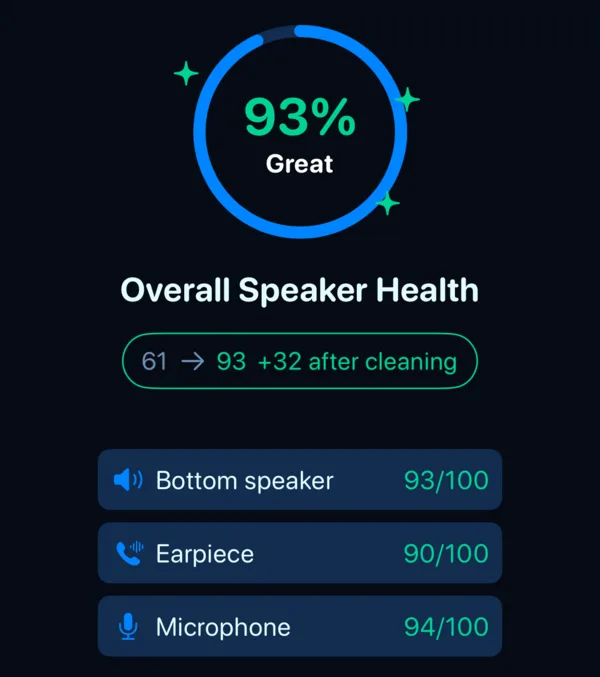
The tone has no way of knowing. The free test in Speaker Doc listens to your speaker through the microphone and shows a score before and after cleaning, and it takes under a minute.
Why a sound can push water out
Your bottom speaker sits behind a fine mesh, the speaker grille, and water clings to it. A low tone makes the speaker cone travel further than a high one, and every push nudges a few droplets out through the holes. That's all it does. Water further inside the phone still has to dry on its own, and our about page explains why we chose this particular tone and what an independent test found.
Still sounds dull after the tone?
Play it once or twice more. If voices still sound far away after that, the water is probably somewhere a tone can't reach, and the phone needs a day or so to dry before you judge it.
When the speaker stays muffled covers drying times, what to avoid and when to get a repair. To find out whether the sound is really back, test your speaker with music, a voice memo or our app.
If your phone just got wet
- Unplug the cable and any headphones, and take the case off.
- Tap the phone gently against your palm, speaker facing down, to drain what you can.
- Play the tone above at full volume, once or twice.
- Leave it somewhere dry with a bit of moving air, and wait until it's dry before you charge it with a cable.
Do
- Keep the speaker facing down
- Let it air-dry
- Wait before charging with a cable
- Listen again once it's dry
Don't
- Rice
- A hair dryer or any heat
- Compressed air
- Cotton swabs or pins in the openings
Sources: Apple Support, iPhone and water and liquid detected in the connector.
What the app adds, and what's free
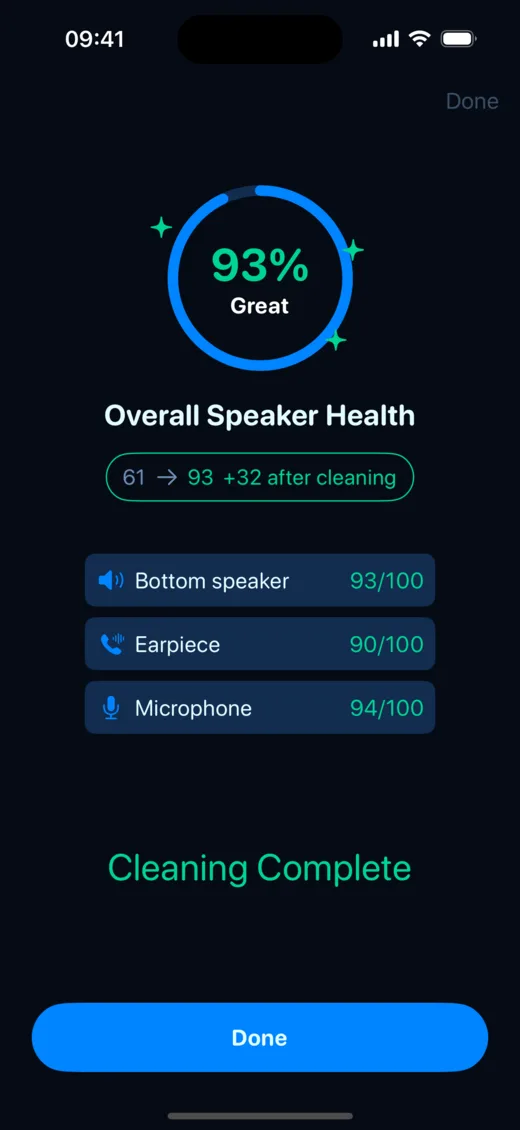
A clean, then a check
Speaker Doc plays the same pulsed tone, turns your volume up and puts it back afterwards. It also warns you if headphones are connected. Then it tests the speaker and tells you whether the sound came back. Most of it costs nothing.
| Free | Pro | |
|---|---|---|
| Turbo Clean, the same tone as this page | Unlimited | Unlimited |
| Speaker Test and Speaker Score | Yes | Yes |
| dB meter and left/right stereo test | Yes | Yes |
| Deep Clean, a longer clean in three stages | – | Yes |
| Vibration Booster | – | Yes |
| Tone generator, 0 to 20,000 Hz, 8 waveforms | – | Yes |
| Ads | None | None |
Pro is a subscription with a free trial, through the App Store. If you'd rather not install anything, the tone on this page and the community-made Water Eject Shortcut do the cleaning part for free. How the Shortcut compares.
 Clean and test your speaker, free · iPhone and iPad, iOS 17+
Something else going on?
Speaker still muffled
The tone helped a little, or not at all.
Next steps →"Liquid detected" when you charge
The alert is about the charging port, and a sound won't clear it.
What to do →A wet Bluetooth speaker
A JBL that went in the pool can play the tone from this page too.
Dry it out →Buying a used iPhone
Check both speakers and the microphone before you hand over the money.
How to check →Callers can't hear you
You hear them fine, but they say you sound far away.
Check the mic →Questions people ask us
Does a sound really get water out of a phone speaker?
It can push out the water sitting in the speaker grille, which is usually what makes the sound dull. It won't dry anything deeper inside the phone, so if the speaker is still muffled afterwards, the rest is a matter of time.
How long should I play the tone?
Let it run its 30 seconds, then listen. If it still sounds dull, play it once or twice more. After that, more tone rarely helps and the phone needs time to dry.
Can I play the tone through a Bluetooth speaker?
Yes. This page plays through whatever your phone is connected to, so it works for a wet JBL or any other Bluetooth speaker. Start with the volume low and turn it up slowly. The Speaker Doc app works the other way round and only plays its cleaning tones through the iPhone's own speaker.
Is Speaker Doc free?
The clean, the speaker test and the score are free with no limit and no ads. Pro is an optional subscription with a free trial, and it adds Deep Clean, the Vibration Booster and the tone generator.