 Speaker Doc
Your JBL speaker got wet and sounds muffled
Most of the time it's water sitting behind the grille, and it goes away as the speaker dries. Shake it out, keep the charger off for now, and if you want to help it along, play the low tone below through it at a sensible volume.
Play a low tone through your speaker
Tap to play · 30 seconds
- Low volume first
- Connect the speaker
- Raise the volume slowly
- Grille facing down
- Away from your ears
Is your Bluetooth speaker sounding better?
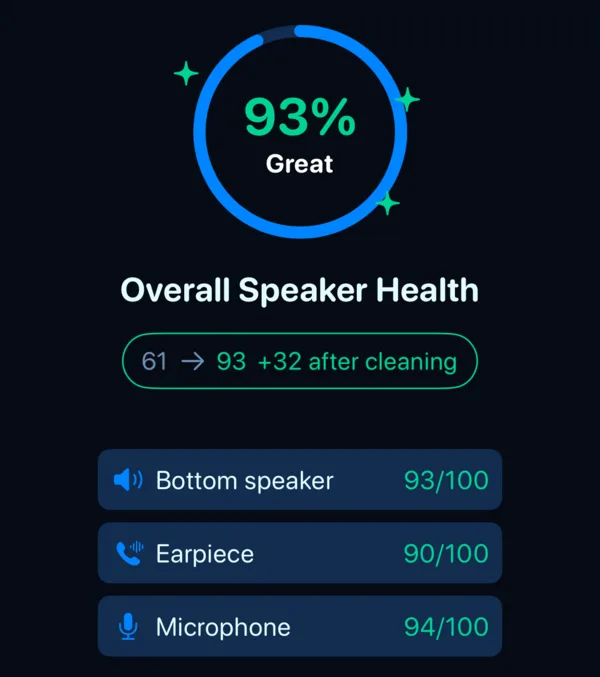
Give it a day to dry before you judge it at full volume. If your iPhone got wet too, our app's free Speaker Test checks the iPhone's own speaker in under a minute and shows you a before and after.
Before you press play
Turn your phone's volume down, connect the speaker over Bluetooth, start the tone, and only then bring the volume up a step at a time. Keep the grille pointing at the floor so the water has somewhere to go. A low tone on a big portable speaker gets loud quickly, so stay at arm's length, and never play it through headphones or earbuds.
It's the same pulsed tone as on our home page, built for phone speakers. It may help a JBL too. We haven't seen anyone publish a test on Bluetooth speakers, so let the speaker dry fully afterwards anyway. The reasoning behind the tone, and what an independent test found on phones, is on our about page.
Why a wet JBL sounds dull
Speakers like the Flip and the Charge push a lot of air through their grille. Water caught in that grille or around the driver damps the sound, and music comes out dull or distorted.
For distorted sound after a speaker has been in water, JBL's advice is short. Shake out the excess moisture and let the speaker dry completely, and the sound should come back to normal once it's dry.
How much water a JBL can take differs between models. Your manual has the rating for yours.
Leave the charger out of it
The charging port is the part to be careful with. JBL says to dry it completely before you plug power in again, and that a fan pointed at the port helps it dry faster.
Some models, the Flip 6 and the Charge 5 Wi-Fi among them, have a USB-C protection feature. When it finds water, salt or other chemicals in the port, the speaker beeps and flashes its lights. If yours does that, pull the cable, wipe around the port with a dry cloth and wait.
Drying it out
Unplug it if it was charging. Hold it grille down and shake it gently, then wipe the outside with a soft, dry cloth, around the port too. Don't push anything into the grille or the port.
After that it's mostly waiting. Leave it somewhere dry with air moving around it, and skip the hair dryer, the radiator and the can of compressed air. Once it's dry, play a song you know well, quietly at first, then at your usual volume. If it still rattles, buzzes or sounds dull after a full day, contact JBL support with your model name.
Our app and Bluetooth speakers
The Speaker Doc app doesn't play through Bluetooth speakers. It only uses the iPhone's own speaker, and it warns you when Bluetooth, AirPlay or headphones are connected, because cleaning tones are loud and we'd rather not send them somewhere we can't control. For a JBL, the tone on this page is the one to use.
If your phone went in the water with it, the app's free Speaker Test checks the iPhone's bottom speaker, earpiece and microphone.
 For your iPhone's own speaker · free test · iOS 17+
Questions
Can I charge my JBL speaker when it's wet?
Not until the charging port is completely dry. Some models will also warn you with a beep and flashing lights if they find water in the USB-C port.
Why does my JBL speaker beep and flash after getting wet?
Some models have a USB-C charging protection feature that reacts to water, salt or other chemicals in the port. Take the cable out, wipe around the port and let the speaker dry fully before you charge it.
Does a water eject tone work on a JBL speaker?
It may help. A low tone moves a Bluetooth speaker's driver the same way it moves a phone speaker, which can push water out of the grille. We haven't seen a published test on Bluetooth speakers, though, so start quietly and let the speaker dry fully either way.